Autogrid4 and Autodock-GPU: Sinteractive session (on GPU)
[user@biowulf]$ sinteractive --gres=gpu:a100:1 --ntasks=8 --ntasks-per-core=1
[user@cn3144 ~]$ module load Autodock-GPU
[+] Loading CUDA Toolkit  12.1.0  ...
[+] Loading Autodock  1.6
[+] Loading AutodockCrankprep  1.0 on cn3144
[user@cn3144 ~]$ cp -a /usr/local/apps/Autodock/gpu/AutoGrid/Tests .
[user@cn3144 ~]$ cp -a /usr/local/apps/Autodock/gpu/1.6/input .
[user@cn3144 ~]$ autogrid4
usage: AutoGrid         -p parameter_filename
                        -l log_filename
                        -d (increment debug level)
                        -h (display this message)
                        --version (print version information, copyright, and license)
[user@cn3144 ~]$ autodock_gpu -h
AutoDock-GPU version: v1.6-release
Command line options:
Arguments              | Description                                           | Default value
-----------------------+-------------------------------------------------------+------------------
INPUT
--lfile             -L | Ligand pdbqt file                                     | no default
--ffile             -M | Grid map files descriptor fld file                    | no default
--flexres           -F | Flexible residue pdbqt file                           | no default
--filelist          -B | Batch file                                            | no default
--import_dpf        -I | Import AD4-type dpf input file (only partial support) | no default
--xraylfile         -R | reference ligand file for RMSD analysis               | ligand file
...
Autogrid4 a batch job:
#!/bin/bash
module load Autodock-GPU
cd Tests/
autogrid4 -p hsg1_sm.gpf -l hsg1_sm-output.glg
Select a GPU type (e.g. a100, v100x, v100) and submit with:
sbatch --partition=gpu --gres=gpu:a100:1 autogrid4.sh
Autodock-GPU
As a batch job:#!/bin/bash module load Autodock-GPU cd /input/1ac8/derived autodock_gpu -M 1ac8_protein.maps.fld -L 1ac8_ligand.pdbqtSelect a GPU type (e.g. a100, v100x, v100) and submit with:
sbatch --partition=gpu --gres=gpu:a100:1 autodock-gpu.sh
Autodock
We encourage users to use HPC OnDemand for launching graphical sessions
Launch a graphical session to use ADT and PMV:
[user@cn3144 ~]$ module load Autodock
[+] Loading Autodock 4.2.6  ...
[user@cn3144 ~]$ adt
setting PYTHONHOME environment
Run ADT from  /usr/local/apps/Autodock/mgltools_x86_64Linux2_1.5.7/MGLToolsPckgs/AutoDockTools
MSMSLIB 1.4.4 started on cn2063
Copyright M.F. Sanner (March 2000)
Compilation flags
At this point you should see two Autodock windows appear.
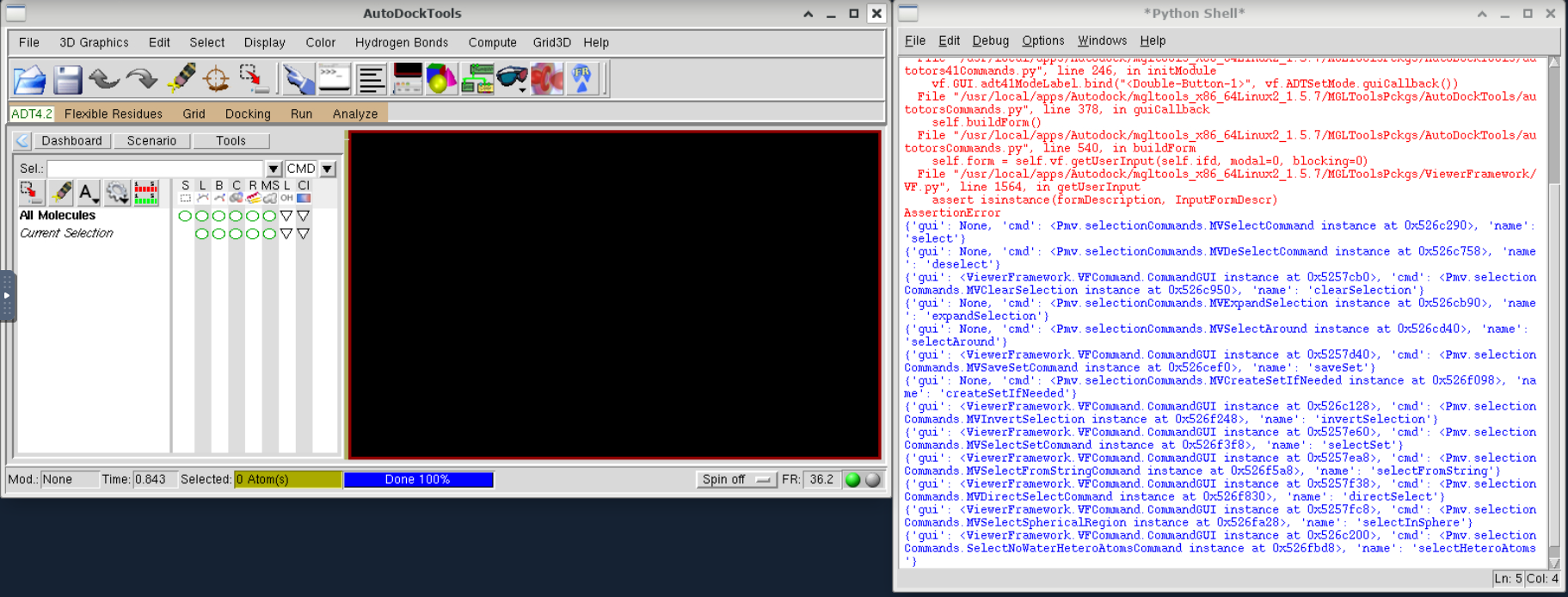
Follow the same process for PMV:
[user@cn3144 ~]$ module load Autodock
[+] Loading Autodock 4.2.6  ...
[user@cn3144 ~]$ pmv
setting PYTHONHOME environment
Run PMV from  /usr/local/apps/Autodock/mgltools_x86_64Linux2_1.5.7/MGLToolsPckgs/Pmv
MSMSLIB 1.4.4 started on cn2063
Copyright M.F. Sanner (March 2000)
Compilation flags
At this point you should the Python Molecule Viewer window appear.
Batch jobCreate a batch input file (e.g. autodock.sh). For example:
#!/bin/bash
module load Autodock
autodock4 -p myfile.dpf -l myfile.dlg
Submit this job using the Slurm sbatch command.
sbatch [--mem=#] autodock.shThe --mem=#g flag should be used if the autodock run requires more than the default 4 GB of memory.
Swarm of Jobs
Create a swarmfile (e.g. myfile.swarm). For example:
cd /data/$USER/mydir;  autodock4 -p lig1.macro.def -l lig1.log
cd /data/$USER/mydir;  autodock4 -p lig2.macro.def -l lig2.log
cd /data/$USER/mydir;  autodock4 -p lig3.macro.def -l lig3.log
cd /data/$USER/mydir;  autodock4 -p lig4.macro.def -l lig4.log
[...]
Submit this job using the swarm command.
swarm -f myfile.swarm [-g #] --module Autodockwhere
| -g # | Number of Gigabytes of memory required for each process (1 line in the swarm command file) |
| -t # | Number of threads/CPUs required for each process (1 line in the swarm command file). (not useful for Autodock which is single-threaded, but can be used for a swarm of Vina jobs) |
| --module Autodock | Loads the Autodock module for each subjob in the swarm |